Qwen 4 is not out yet. That is exactly why you should be shopping now. Every release of a frontier-class open model has done the same thing to local hardware: it raises the floor on VRAM, and it makes whatever you bought last cycle look suddenly small. If you are choosing GPUs for local AI today, you are not really choosing for the models you run this week. You are choosing for the model that lands next.
So the question is not "which card is fastest." It is "which card has enough memory, at a price that does not make you wince, to still be useful when the next generation of weights arrives." That reframing changes the answer a lot.
Why VRAM decides everything
Local inference is a memory problem before it is a compute problem. Weights have to live somewhere, and if they do not fit in VRAM they spill to system RAM or disk, and tokens per second collapses. A card that is 30 percent faster but has half the memory will lose to the bigger card on any model that does not fit.
The rough math developers use: at 4-bit quantization, a model needs roughly 0.5 to 0.6 GB of VRAM per billion parameters, plus room for the KV cache and context. That is why a 7B model fits comfortably in 8 GB, a 32B model wants 20 GB or more, and a 70B model is a 40 GB-class problem. None of these are exact, and quantization schemes vary, but they are the numbers people actually plan around.
This is the tension the source video walks through: the cards that are cheap are cheap because they are small, and the cards that are big are expensive because they are big. There is no card that is both. You pick your side of that trade.
The eleven cards, sorted by what they actually run
The table below groups cards by VRAM class. Prices move constantly, so treat the price column as a rough band, not a quote. The "what it runs" column is the part that matters.
| Card | VRAM | Rough price band | What it realistically runs (4-bit) | Notes |
|---|---|---|---|---|
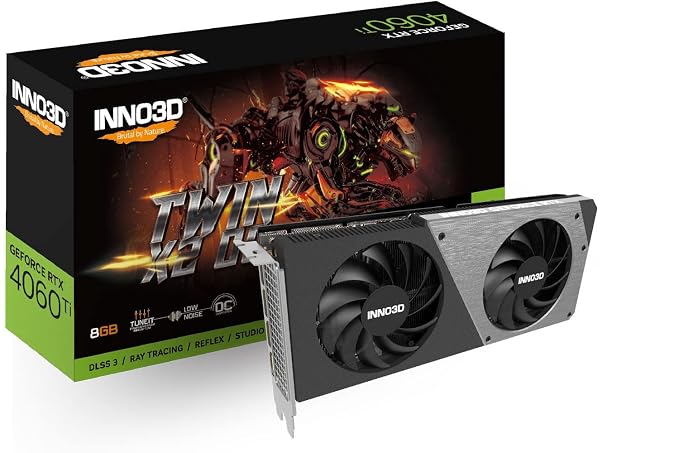
| RTX 4060 Ti 16 GB | 16 GB | ~$430-500 | 7B-14B comfortably, 32B tight | Cheapest 16 GB entry point |
| RTX 4070 Ti Super | 16 GB | ~$800 | Same class, faster tokens | Bandwidth helps, memory does not |
| RTX 4080 Super | 16 GB | ~$1000 | Same class, faster still | Diminishing returns for the money |
| RTX 3090 (used) | 24 GB | ~$700-900 | 32B comfortably, 70B tight | The value pick if you can find one |
| RTX 4090 | 24 GB | ~$1600-1900 | 32B comfortably, 70B tight | Fastest 24 GB card, worst price per GB |
| RTX 5090 | 32 GB | ~$2000+ | 32B with headroom, 70B still tight | The new 32 GB class |
| RTX A6000 | 48 GB | ~$4000+ | 70B comfortably | Workstation card, workstation price |
| RTX 6000 Ada | 48 GB | ~$6000+ | 70B comfortably, faster | Only if someone else is paying |
| Dual RTX 3090 | 48 GB total | ~$1400-1800 | 70B across two cards | Cheapest 48 GB, but two slots and more power |
| Dual RTX 4090 | 48 GB total | ~$3200-3800 | 70B across two cards | Fast, hot, expensive |
| Apple M3 Max (unified) | up to 128 GB | ~$3500+ | 70B and beyond, slower per token | Not a GPU, but the memory argument wins |
A few things jump out of that table. The 16 GB cards are all the same memory class, so the expensive ones buy you speed, not capability. The 24 GB cards are the sweet spot for 32B models. The 48 GB cards are where 70B stops being a compromise. And the dual-card rows are the honest answer for people who want 48 GB without paying workstation prices.
The 16 GB tier: cheap, and it shows
A 16 GB card is the correct first purchase for most developers. It runs 7B and 14B models well, it handles 32B at 4-bit if you keep context short, and it does not require a new power supply or a second mortgage.
The RTX 4060 Ti 16 GB is the cheapest way into that tier. It is not fast. It is fine. If your goal is to run a coding assistant or a small chat model locally, it does the job, and the money you save goes toward the card you will actually want later. The 4070 Ti Super and 4080 Super are the same memory with more bandwidth, and they are worth it only if you are already committed to staying in the 16 GB class for a while. Most people are not.
This is the tier where the cheap option costs you time: you will spend evenings tuning context length and quantization to squeeze a 32B model into 16 GB, and it will still be slower than the same model on a 24 GB card. That is a real cost, and it is worth naming.
The 24 GB tier: the actual sweet spot
The used RTX 3090 is the card this article would buy with its own money. 24 GB of VRAM for roughly the price of a new 16 GB card is the best memory-per-dollar deal in local AI, and it runs 32B models comfortably. The catch is that it is used, it is hot, and it draws a lot of power. If you can live with those, it is the value pick.
The RTX 4090 is the same 24 GB with much more speed and a much worse price per gigabyte. It is the right card if you are doing fine-tuning or heavy batch inference and the speed pays for itself. For pure chat inference, the 3090 gets you the same models for less.
The RTX 5090 moves the class to 32 GB, which is the first meaningful memory jump in this tier in a while. It is the card to watch if you want headroom for the next model generation without jumping to workstation pricing. It is also the card that makes the 4090 look like a stopgap.
The 48 GB tier: where 70B stops hurting
A 70B model at 4-bit wants roughly 40 GB. That means a single 48 GB card, or two 24 GB cards, is the entry point for running it without offloading. The RTX A6000 and RTX 6000 Ada are the single-card answers, and they cost what workstation cards cost. Most developers should not buy them new.
The dual RTX 3090 build is the honest alternative: two used 3090s, a motherboard with two x16 slots, and a power supply that can feed them. It is more fiddly, it runs hotter, and it takes two slots, but it gets you 48 GB for a fraction of the A6000 price. If you are serious about 70B-class models on a budget, this is the build.
The Apple wildcard
An M3 Max with a large unified memory configuration is not a GPU in the discrete sense, but it is the only way to get 128 GB of memory pointed at a model without buying a server. Tokens per second are lower than a discrete card, and the ecosystem is different, but the memory argument is hard to beat for large models. If your priority is "run the biggest model I can," it belongs on the list.
What this means for Qwen 4
Nobody knows Qwen 4's parameter count or memory footprint yet. What is known is the pattern: each generation has pushed the useful floor up. If Qwen 4 ships in a 30B-plus class, 16 GB cards will run it only with aggressive quantization and short context. If it ships larger, 24 GB becomes the minimum and 48 GB becomes comfortable.
The safe play is to buy one tier above what you need today. If you run 7B models now, buy 24 GB. If you run 32B, buy 48 GB or plan a dual-card build. Buying exactly what fits today is how you end up shopping again in six months.
FAQ
Is 16 GB enough for local AI? For 7B and 14B models, yes. For 32B models, only with 4-bit quantization and short context. It is a fine starting point but a poor long-term bet.
Should I buy one 48 GB card or two 24 GB cards? Two 24 GB cards are cheaper and nearly as capable, but they need two slots, more power, and more setup. One 48 GB card is simpler and more expensive. Pick based on patience versus budget.
Is a used RTX 3090 a bad idea? It is the best memory-per-dollar deal in local AI. The risks are wear, heat, and power draw. Buy from a seller with a return window and test it under load immediately.
Do I need a workstation card? Only if you need 48 GB in a single slot or you need the reliability and support. For most developers, consumer cards and dual-card builds cover the same models for less.
Conclusion
The right GPU for local AI is the one with enough VRAM to run the model you will want next, at a price you can justify now. That points most developers at 24 GB today and 48 GB if they are serious about 70B-class models. The 16 GB tier is a fine entry point but a short runway. Buy one tier above your current needs, and Qwen 4 will be a model you can run, not a model you have to shop for.
Sources and verification
- Source video referenced for the general framing of the VRAM-versus-price trade-off: YouTube: 6YMHMU_x4Rc
- VRAM-per-parameter figures (roughly 0.5-0.6 GB per billion parameters at 4-bit) are community rules of thumb, not measured benchmarks, and vary by quantization scheme and context length.
- Price bands are approximate and move constantly; they are not quotes and were not verified against live listings.
- Token-per-second claims are qualitative and were not measured for this article.
- Qwen 4's parameter count and memory footprint are unknown at the time of writing; all statements about it are conditional.